Bill.com vs. Melio: A Full Comparison for Small Businesses
Compare Bill.com vs Melio pricing, features, and integrations. See which platform fits small businesses and why Nickel offers better value for 2025.

The short answer: BILL is a comprehensive payment platform that offers a wide range of features including the ability to manage complex approval workflows, AR and AP automation, and more. Melio’s platform is simpler and less feature rich, but offers cheaper monthly subscriptions than Bill.com and lower transaction fees for certain payment types. Nickel combines many of the best attributes of Bill and Melio by offering a unified AR/AP platform with a free base tier that includes unlimited free ACH transfers, support for ultra large transactions up to $1m on Nickel Pro, and industry-leading support.
If you’re comparing Bill.com vs. Melio to determine the right payment platform for your company, you’ve come to the right place.
Hundreds of thousands of businesses use Bill.com and Melio to automate their financial operations. Each platform is best for a different kind of customer.
Bill.com offers a more sophisticated and sweeping set of financial tools for larger businesses that need a fuller suite of software integrations. But at a starting price of $45/user/month it costs significantly more than Melio.
Melio is a good solution for businesses looking for a cheaper payments platform that still allows transactions to dozens of countries, flexible payment options and a centralized payment system.
Below, we’ll dive deeper on each service to break down their key features and benefits. We’ll also explain how Nickel’s lower transaction costs, unlimited $0 ACH payments, simple payment link and automated AR/AP systems combine the best components of both Bill and Melio.
What you’ll learn:
- What each platform does and who it’s best for
- Complete pricing breakdowns with tier-by-tier features
- Integrations and key functionalities of each service
- Why Nickel is a better choice high volume businesses looking for lower transaction fees
Quick Comparison: Bill.com vs Melio at a Glance
Let’s have a side-by-side overview of some major attributes of each platform before diving deeper
| Factor | Bill.com | Melio | Winner |
|---|---|---|---|
| Best for | Mid-market businesses needing full AP + AR automation | Small businesses wanting simple, low-cost bill pay | Depends on needs |
| Pricing | $45–89/user/month | Free tier or $25–80/month | Melio |
| ACH Cost | Included in subscription | $0.50/transfer after free tier | Bill.com |
| Payment Speed | Same-day and instant available | Same-day and instant available | Tie |
| Integrations | QuickBooks, Xero, NetSuite, Sage, Dynamics | QuickBooks and Xero only | Bill.com |
| International | 130+ countries, 100+ currencies | 80 countries, ~15 currencies | Bill.com |
Disclaimer: We are not affiliated with Bill or Melio. This information may have changed since publication and is for informational purposes only. For the most recent information related to each payment platform, please consult the official Bill and Melio websites.
Bottom line:
- Bill.com wins if: You need full AP+AR, complex workflows, enterprise integrations, or international payments
- Melio wins if: You’re cost conscious, don’t have huge payment volume and don’t need complex integrations
- Go with Nickel if: You’re fee-sensitive with high volume or need reliable support. If that’s you, keep reading to see why Nickel’s unlimited $0 ACH, QBO integration and AR/AP automation are right for your business.
What is Bill.com?

Bill.com (now branded simply as “BILL”) is a comprehensive financial operations platform designed for small to mid-market businesses that need to automate both accounts payable and accounts receivable.
(If these terms are new to you, we’ve created a handy overview of what AR and AP professionals do and how they’re vital to your company’s financial health. Read here)
Founded in 2006, the company went public in 2019 and has since acquired several other fintech companies including Divvy and Invoice2go. Around 8 million people get paid with Bill.com and 460,000 companies now use it to automate their financial operations.
The platform markets itself as an end-to-end solution for businesses that have outgrown basic accounting software and need more sophisticated payment workflows, approval processes, and integrations with accounting systems.
Bill.com Key Features
Accounts Payable (Paying Bills):
One of Bill.com’s AP core functions is its accounts payable systems. Though the platform has now expanded to offer many financial services, it was founded to simplify payments for small and medium businesses.
The platform uses AI-powered optical character recognition (OCR) to automatically extract data. This dramatically reduces manual data entry.
The approval workflow system is highly customizable. You can create multi-level approval chains based on payment amount, vendor, department, or user role.
Bill.com also offers 2-way and 3-way matching, which automatically compares invoices against purchase orders and receiving documents to catch discrepancies before payment. This prevents duplicate payments and ensures you’re only paying for goods and services actually received.
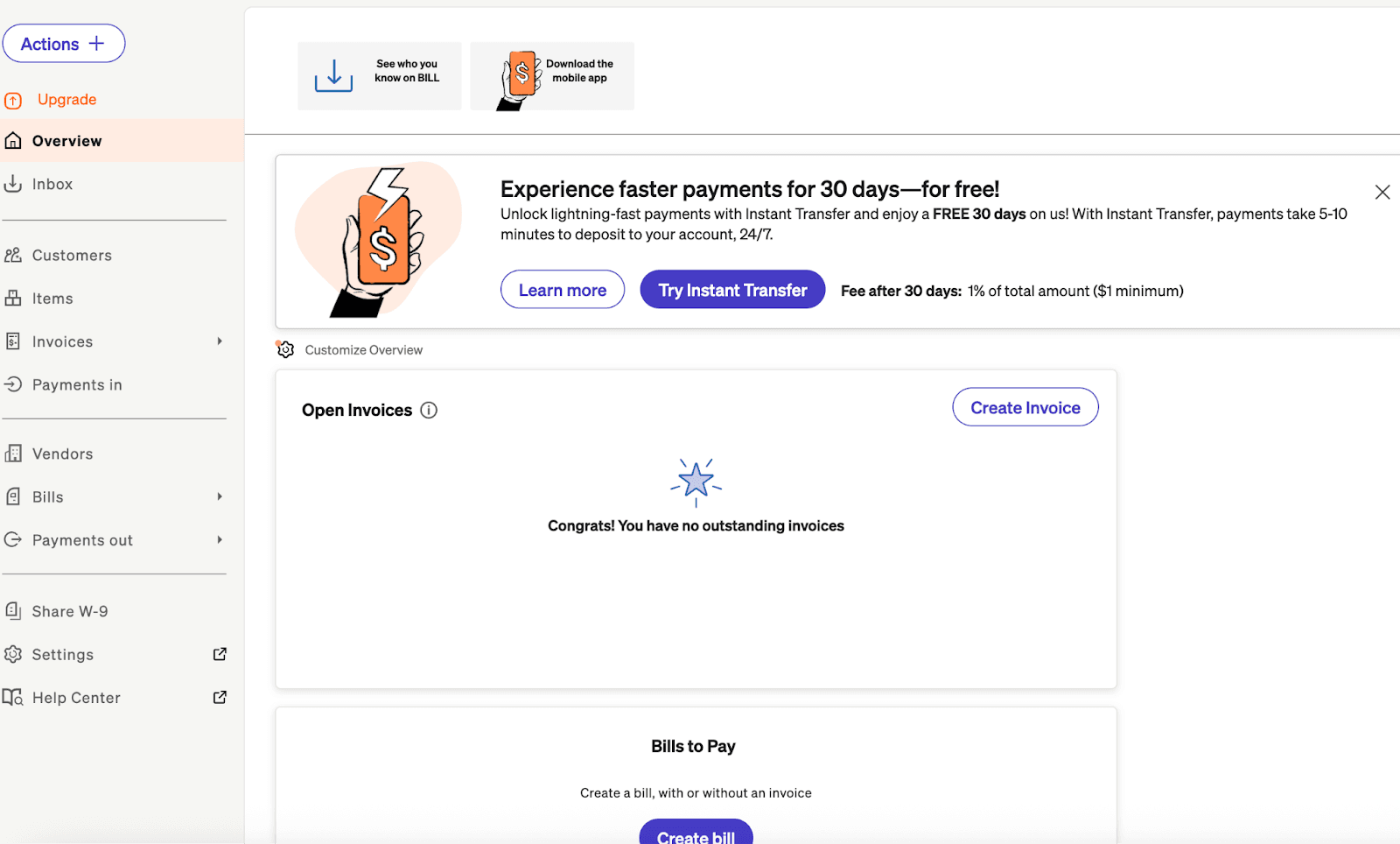
Accounts Receivable (Getting Paid):
Bill.com includes a full AR suite. You can create and send professional invoices, set up payment links that customers can use to pay by ACH or credit card, and automate payment reminders. The customer portal gives your clients a self-service option to view invoices, make payments, and download receipts.
The collections automation feature sends dunning emails on a schedule you define, escalating from friendly reminders to more urgent notices as invoices age. This reduces the manual work of chasing down late payments.
Integrations:
The platform offers native two-way sync with major accounting systems including:
- QuickBooks Online
- QuickBooks Desktop (Pro, Premier, and Enterprise)
- Xero
- Oracle NetSuite
- Sage Intacct
- Microsoft Dynamics 365
Payment Options:
Bill.com supports multiple payment methods: ACH bank transfers, physical checks (printed and mailed by Bill.com), virtual cards, credit cards, and international wire transfers to 130+ countries in 100+ currencies.
Who is Bill.com Ideal For?
Bill.com is the right choice if you:
- Process a high volume of invoices and need automation to stay efficient
- Require complex approval workflows with multiple levels and custom rules
- Need both AP and AR functionality in a single platform
- Use enterprise accounting software like NetSuite, Sage Intacct, or Microsoft Dynamics
Bill.com is NOT the right choice if you:
- Only need simple bill payment without complex approvals
- Are a very small business with low payment volume
- Are highly budget-conscious (pricing starts at $45/user/month)
- Only use QuickBooks or Xero and don’t need enterprise integrations
What is Melio?
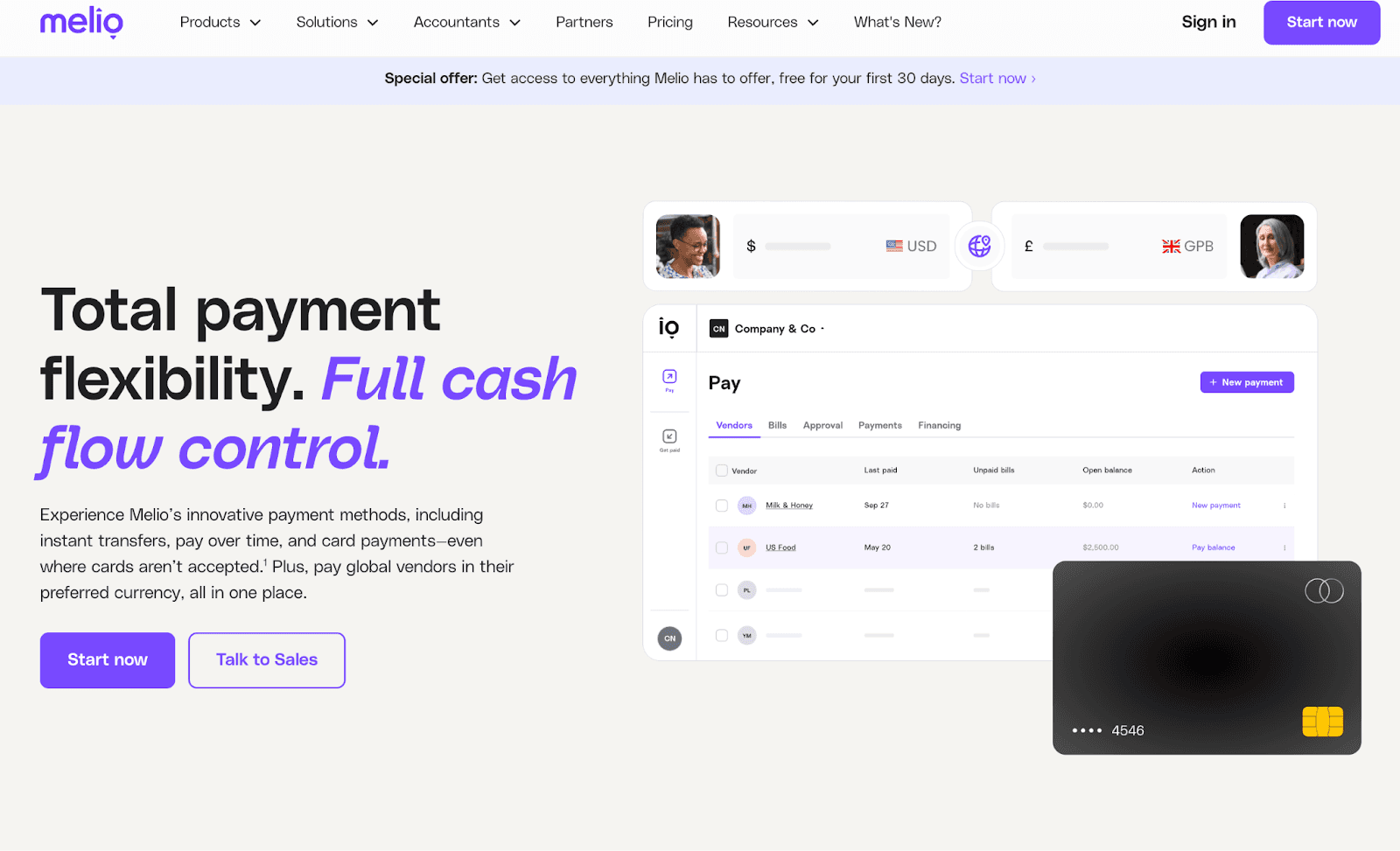
Melio was launched in 2018 to simplify B2B payments for small businesses. The company has now processed over 40 million bills on its platform and is used by over 100,000 businesses.
Melio is a streamlined bill payment platform designed specifically for small businesses that want a simple, affordable way to manage AR/AP processes. There are plenty of features – you can automate AP, integrate QBO and set up AR workflows – but it doesn’t have as sweeping a set of financial tools as Bill.
Melio Key Features
Paying Bills and Accepting Payments :
Melio’s core functionality is straightforward bill payment. You can upload bills manually or import them directly from QuickBooks or Xero. Like Bill.com, the platform uses OCR to extract invoice details.
Once bills are in the system, you schedule payments and choose your delivery method. Vendors receive funds via ACH bank transfer, and they don’t need to create a Melio account to get paid — the money goes directly to their bank account. This reduces friction in vendor relationships.
Pay by Card:
One of Melio’s popular features is the ability to pay vendors by credit card even when they only accept bank transfers. You pay Melio with your credit card (at a 2.9% fee), and Melio sends the vendor an ACH payment. This lets you earn credit card rewards and extend your payment float, which can be valuable for cash flow management.
Approval Workflows:
Melio offers approval workflows on its paid plans, though they’re simpler than Bill.com’s system. You can set payment thresholds that require approval and configure approval levels. Six user roles are available: Owner, Admin, Accountant, Contributor, Approver, and Viewer.
Approvals can be triggered by payment amount, specific schedulers, or particular vendors. You can combine conditions — for example, requiring approval for any payment over $5,000 scheduled by a specific team member. Approvers can review and approve payments via the mobile app or through email notifications.
Integrations:
Melio integrates with QuickBooks Online, QuickBooks Desktop (on certain paid plans only), and Xero. The sync is real-time and two-way, meaning payments made in Melio automatically update in your accounting software and vice versa.
Unlike Bill.com, Melio does not integrate with enterprise accounting systems like NetSuite, Sage Intacct, or Microsoft Dynamics. If you’re using these platforms, Melio isn’t an option.
Payment Speed:
Standard ACH transfers often take up to 3 business days. Same-day ACH is available for payments scheduled before 2pm ET, with a 1% fee capped at $30 per transaction. Instant transfers are also available for urgent situations, arriving within minutes.
International Payments:
Melio supports international payments to about 80 countries with approximately 15 currencies. A $20 fee applies for USD transfers abroad. For business owners that frequently pay international vendors, the more limited currency list can tip them towards Bill.
Who is Melio Ideal For?
Melio is the right choice if you:
- Process fewer payments per month
- Want a simple, easy-to-use interface without enterprise complexity
- Use QuickBooks Online, QuickBooks Desktop, or Xero for accounting
- Want to conduct credit card transactions
Melio is NOT the right choice if you:
- Require enterprise accounting integrations (NetSuite, Sage, Dynamics)
- Process high payment volumes where fees would add up significantly
- Require sophisticated approval workflows with more than 3 levels
Pricing Comparison: Bill.com vs Melio vs Nickel
To understand the true cost of each platform, you need to look at both subscription fees and per-transaction costs. We’ve compared the lowest-cost tier of each platform below
Base Plan Comparison
| Feature | Nickel Standard ($0) | Bill.com Essentials ($45/user/mo) | Melio Go (Free) |
|---|---|---|---|
| ACH Payments | Unlimited, free | Unlimited, included | 5/month free, then $0.50 each |
| Users | Unlimited | Per-user pricing | 1 |
| QuickBooks Sync | Real-time 2-way | Yes | Yes |
| Invoicing / AR | Full AR automation | Core AR functions | Free AR and invoicing services |
| AP / Bill Pay | Yes | Yes | Yes |
| Approval Workflows | Yes | Basic | No |
Bill.com Pricing
Bill.com uses per-user pricing, which can add up quickly for teams. See full Bill.com pricing →
- Essentials — $45/user/month: Basic approval workflows, automated payment reminders, pay by ACH virtual card, credit card and more. Drawback: No same-day payments, no phone support.
- Team — $55/user/month: Multi-level approvals, same-day ACH, automatic 2-way sync with QuickBooks software and Xero. Drawback: No enterprise integrations.
- Corporate — $89/user/month: Enterprise integrations (NetSuite, Sage, Dynamics), instant payments (1% fee).
Additional fees: Instant payments 1%, credit cards 2.9%, international wires vary by country.
Melio Pricing
Melio recently transitioned from a free model to tiered pricing. The free tier still exists but with significant limitations, such as only allowing 5 free ACH transfers per month. See full Melio pricing →
- Go — Free: 5 ACH transfers/month, 1 user, QuickBooks/Xero sync. Drawback: $0.50 per ACH after 5, no approval workflows.
- Core — $25/month: 20 ACH transfers/month, multiple users, basic approvals. Drawback: $0.50 per ACH overage, no QuickBooks Desktop, no advanced user roles.
- Boost — $55/month: 50 ACH transfers/month, QuickBooks Desktop sync, up to 3 approval levels. Drawback: Still $0.50 per ACH for overage transfers.
- Unlimited — $80/month: Unlimited ACH, unlimited users, instant transfers available. Drawback: No enterprise integrations.
Additional fees: same-day ACH 1% (max $30), credit cards 2.9%, international $20+.
Nickel Pricing
Nickel takes a fundamentally different approach to pricing: flat monthly fees starting at $0 with unlimited free ACH. No per-transaction fees, no surprise charges.
Our service combines the strongest components of each platform at a lower monthly cost. You can pay by credit card and automate your AR and AP processes. Your vendors don’t need a Nickel account to get paid and transactions can be completed through a simple payment link.
Nickel Standard — $0
Unlimited ACH payments (always free)
- 3 active users
- Permissions and approval workflows
- $25,000 cap on each $0-fee ACH payment
- Live chat and email support
- QBO sync
Nickel Plus — $35/month (when paying annually)
Unlimited ACH payments (always free)
- Recurring and scheduled payments
- Remote check deposit
- Unlimited users
- No transaction limit
Nickel Pro — custom setup and cost
Everything in Plus, and:
- Dedicated Account Manager
- Priority, 24/7 support
For a full breakdown of features you get with each payment tier, see our pricing page.
Nickel Pricing Philosophy
Nickel was founded on a commitment to transparent, stable pricing:
- Flat monthly fee: No per-user pricing that punishes you for growing your team.
- No hidden fees: The price you see is the price you pay.
Best for: B2B businesses in low-margin industries like construction, manufacturing, or wholesale who need robust AR automation and fast support.
Real Cost Comparison
Let’s see what you’d actually pay for a business processing $500K/month with 50 vendor payments:
| Platform | Monthly Cost | Annual Cost |
|---|---|---|
| Bill.com (Team, 2 users) | $110 | $1,320 |
| Melio (Unlimited) | $80 | $960 |
| Melio (Core + 30 overage ACH) | $40 | $480 |
| Nickel (Plus) | $35 | $420 |
Potential savings with Nickel: $900 per year compared to Bill.com
When Nickel Is The Best Platform
- You need a payment provider you can trust for large payments up to $1m. Nickel is built for large payments, we won’t hold up your transaction just because you’re moving a large amount
- QuickBooks Online integration is critical
- You value human support with fast response times
Conclusion
While Bill.com charges $45-$89+ per user per month plus $0.59 per ACH transfer, and Melio limits free ACH to just 5 transactions per month before charging $0.50 each, Nickel eliminates ACH transaction fees entirely.
Nickel offers what Bill.com and Melio can’t: truly unlimited free ACH payments with no monthly caps, no per-user fees, and no surprise charges.
To see a complete breakdown of how Nickel and Bill.com compare, check out our comprehensive feature checklist. For a comparison between Nickel and Melio, see this page.
See why Nickel is ranked the easiest to use payment process on G2, create a free account or schedule a demo with sales today.


